Home / Why Nobi

A Light That Belongs.

Care technology should improve care without taking over the resident's environment. Here is what that means in a resident's room, and in your team's day.

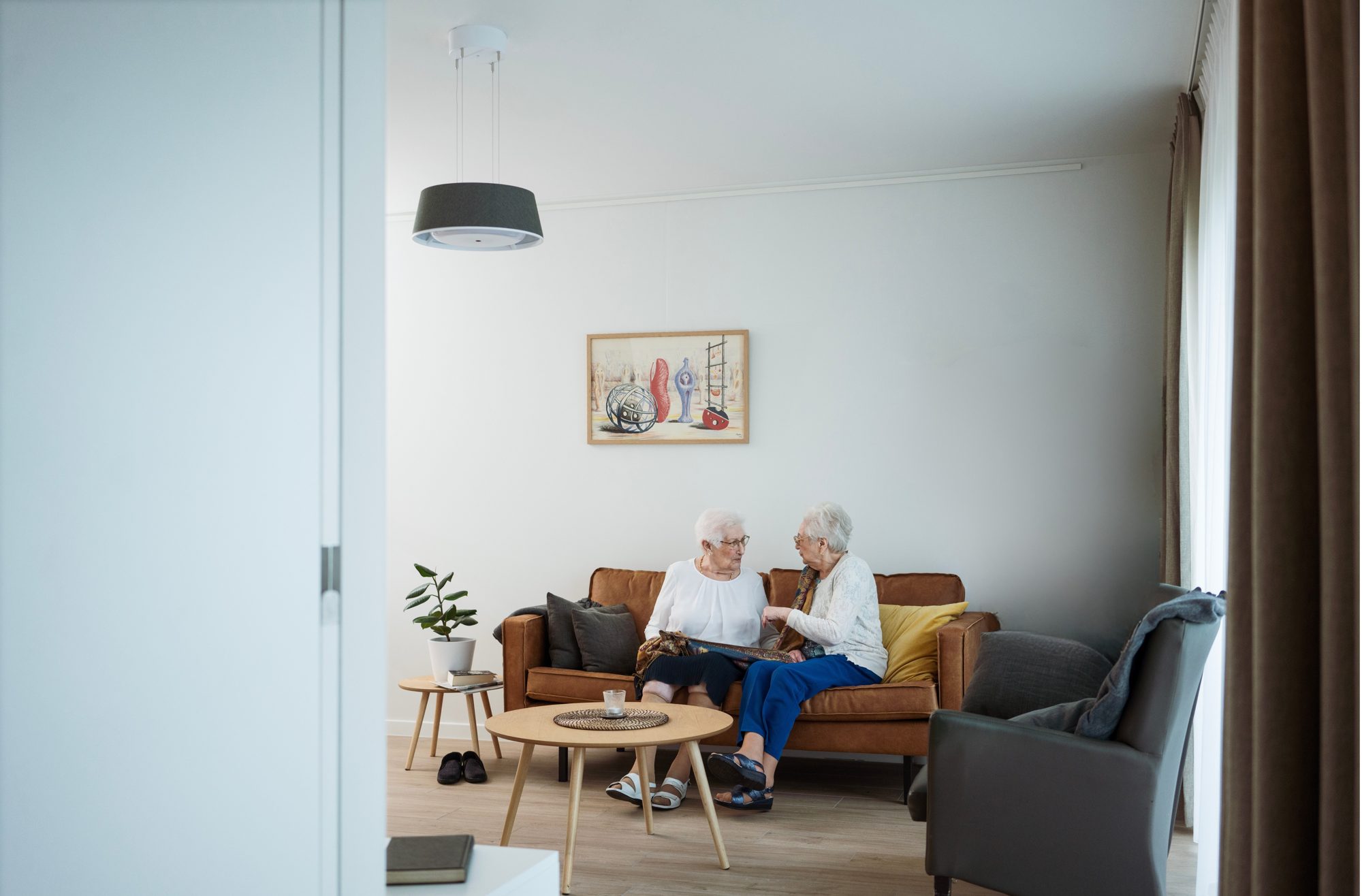
Two residents talking on a sofa in a care home apartment, with a Nobi Pendant light above them.

Designed to belong

Quietly There. Helping You Care.

A light that belongs in the resident's room and helps the team care: familiar design, privacy built in, the bathroom included.

  1. The same room
  2. Supported, not watched
  3. Up to the bathroom, and inside
  4. Inside the light

The Same Room. Spot the Technology.

A resident's room is their home. Needing more support should not mean surrounding someone with visible, clinical technology.

This is the same resident's room, three times. Can you spot the technology?

Use the arrow keys to move the circle, and Enter to mark or unmark a spot.

Tap or click wherever you see technology, then check.

  • A camera in the corner
  • A processing hub on the wall
  • A sensor on the wall
  • A pressure mat next to the bed
  • A motion sensor
  • The light the room needs anyway

Room One

2 devices
  • A camera in the corner
  • A processing hub on the wall

Room Two

3 devices
  • A sensor on the wall
  • A pressure mat next to the bed
  • A motion sensor

Room Three, With Nobi

1 light
  • The light the room needs anyway

Unlike clinical hardware, Nobi looks and feels like a light.

Residents accept it because it blends into their environment. And when technology is welcomed instead of tolerated, it can finally do its job.

Nobi looks like a familiar ceiling light.

But quietly, it changes what care can be: support in the room, without turning the room into a ward.

It's pretty neat where it looks like a regular light bulb. It's a part of our operations. It's a part of the community. It's not like a security camera in a corner.

Salvador Gutierrez CornejoExecutive Director, Cedar Village by Cogir

Privacy by design

Supported, Not Watched.

Residents should never have to choose between their safety and their privacy. Nobi is designed to support both.

  • Optical sensors analyse images inside the light. No image leaves the light without a care reason, such as a fall, and what is shared follows the resident's choice: no image, a blurred image or the actual image.
  • Every resident decides what caregivers see if help may be needed.
  • Nobi's smart features only switch on after the resident, or the person responsible for them, has given consent.
  • Preferences can be changed at any time, together with the care team.
In the room

Care team

Help may be needed in this room.

No image is shared. The care team is still told.

Actual Image. The most detailed view, for residents who choose it. Blurred Image. The whole picture is blurred. No one can be identified, but posture and position stay readable. No Image. No visual information is shared. Caregivers still receive an alert that assistance may be needed.

BedroomBathroom Without Nobi: camera on the wall Not covered Covered by Nobita

Other set-ups use radar, acoustic or bed sensors.

Bathroom coverage

Right Up to the Bathroom. And Inside.

The bathroom is the highest-risk room for many residents. Nobita brings the same care through the door: a light that finds the way, notices a fall and tells the team.

  • Nobita detects falls and alerts the care team.
  • The team can talk with the resident through the light.
  • It notices when someone stays in the bathroom unusually long.
  • A Pull Cord with breakaway safety for calls from the bathroom.
0%

higher risk of falling for every minute spent in the bathroom than in the other rooms.Nobi data: 1,736 residents, 37 senior living communities. How we measured it

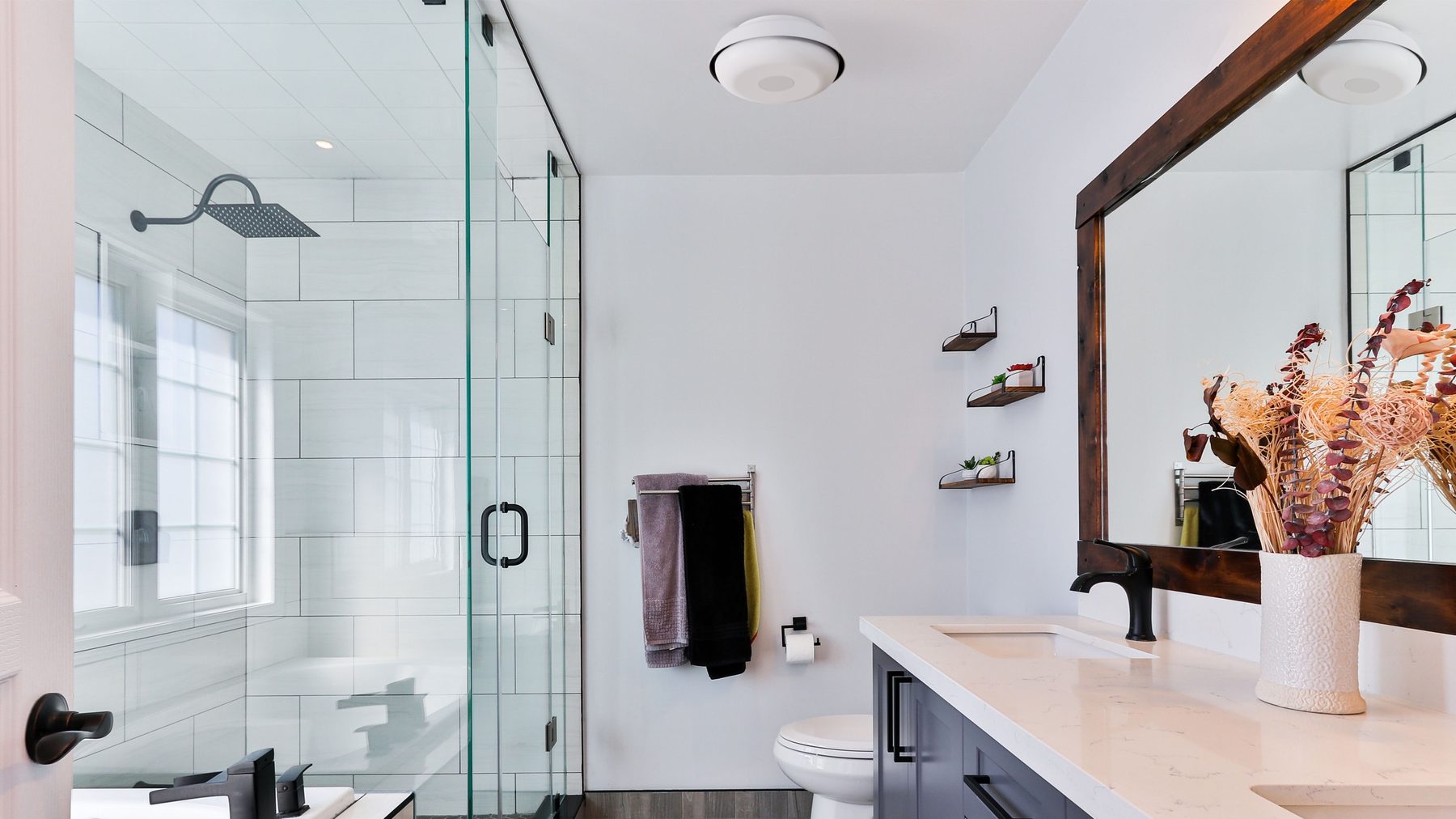
A bright bathroom with a walk-in shower and a Nobita light in the middle of the ceiling.

Connecting the dots in care

Insight, People and Action, Together.

Nobi doesn't only alert, it acts: the light switches on by itself, staff answer by voice, and each resident gets the right support.

Care around the resident

Nobi Lights in bedrooms and larger rooms, Nobita in bathrooms and smaller rooms such as walk-in closets. Gateways carry nurse call into hallways and common rooms.

Devices and coverage

Work as one team

Everyone sees who picked up a fall or a call, what is still open and what is done. The most urgent comes first, and on urgent escalations a colleague joins in.

Talk before you walk

Two-way voice through the light lets staff hear what a resident needs and reassure them on the way. They bring the right thing and arrive once.

Nurse call

One app, your systems

Nurse call, fall management and monitoring in one app, connected to your EHR and other systems where supported, so nobody keeps residents in two places.

Integrations

Understand each resident

Night and activity reports, falls, calls and changing patterns show each resident's needs. Call and Badge data show where and when care is given.

Insights

Availability of Nobita, Nobi Badges, Gateways, Wearable Call Buttons, nurse call and integrations differs by market and setup.

A partner beyond installation

Experience You Can See in the Product.

Our team includes people who have run care environments themselves. They know staffing pressure, night shifts and changing teams.
  • An alert must help staff decide what to do next.
  • Information must be useful during a busy shift.
  • New ways of working must be easy to adopt. User research and customer pilots are part of every product.
  • After installation, Customer Success and support stay involved: training, reviewing progress and helping you get value.
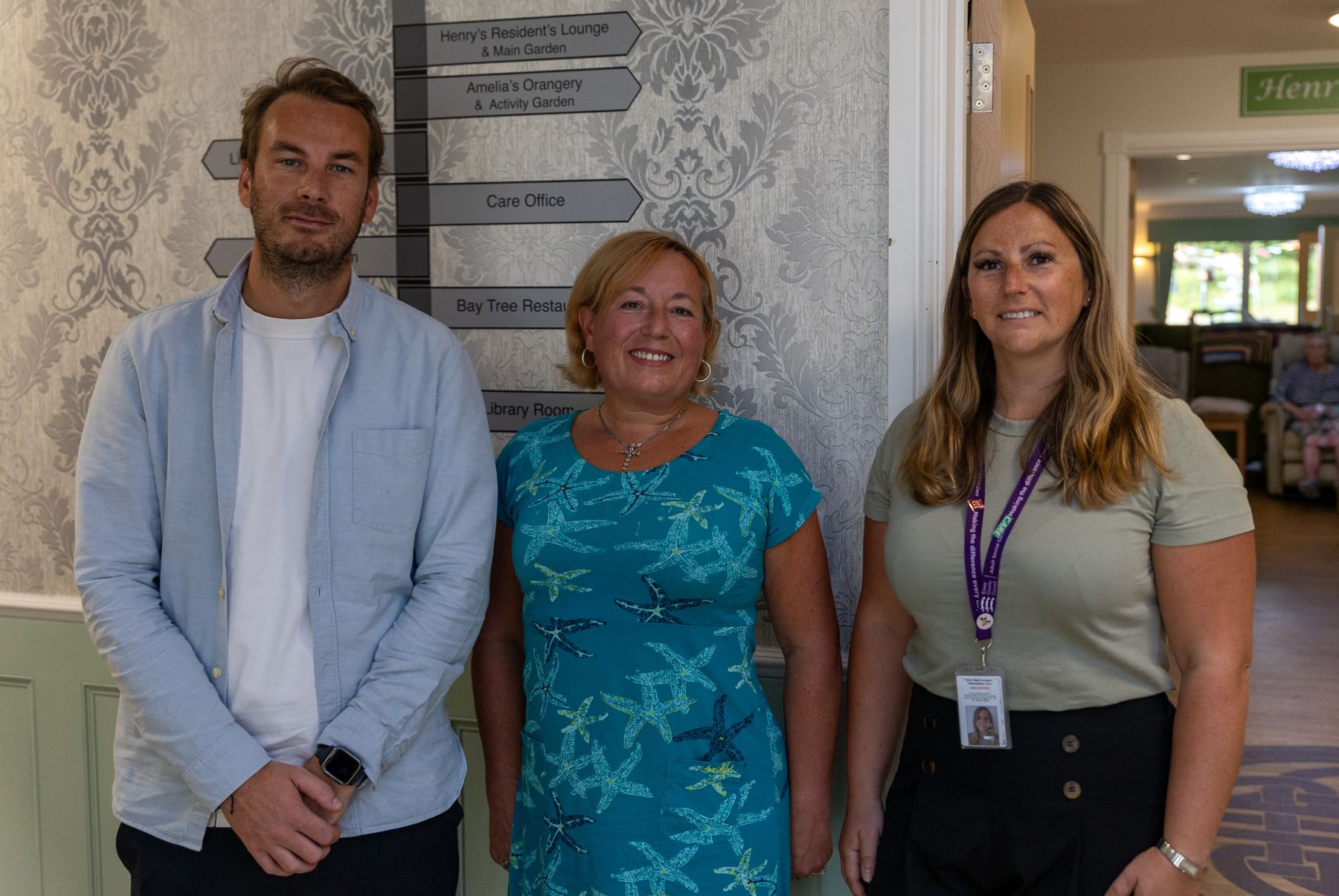
Three members of the team at Dudbrook House care home.

How a Rollout Runs.

  1. 01

    Installed by trained people

    About 45 minutes per Light, room by room, while life in the community goes on.

  2. 02

    Your team is trained first

    Until then, the Lights simply light the room. Smart features stay off.

  3. 03

    Switched on with consent

    Smart features start only once the resident, or the person responsible for them, has agreed.

  4. 04

    Supported from then on

    An onboarding portal, a helpdesk and people who know care, for as long as you use Nobi.

The Nobi difference

Good for Everyone Around the Resident.

Nobi is not built for one person in the chain. The same light helps the caregiver on shift, the resident and their family, the team that runs the community and the people who own it.

For caregivers

  • Talk through the light: hear what a resident needs and reassure them before walking over.
  • Know what happened before you arrive, shown in the privacy option the resident chose.
  • Falls and calls in one app, the most urgent first, with a colleague joining in when it matters.
  • A daily check-in on who needs attention: residents whose nights or patterns changed.

For residents

  • Nothing to wear and nothing to remember: a fall needs no button press.
  • A light in their apartment, not monitoring equipment.
  • A gentle light when they get up at night, and a light rhythm that follows the day.
  • Privacy they choose: stick figure, blurred image or no image at all.

For families

  • Help after a fall in under 4 minutes on average, day and night.
  • Peace of mind that staff are alerted straight away, even when no one is in the room.
  • Their parent keeps their dignity and their own home.

For communities

  • Fall management, nurse call, better sleep and insight in one system.
  • Care time per resident, so care levels follow the care that is really given.
  • Connected to your EHR, so nobody keeps residents in two places.
  • Installed room by room in about 45 minutes per light, while life goes on.

For owners and capital partners

  • Good care is good business: safer residents, a supported team and care levels that match the care given.
  • Replaces an existing ceiling light, with no extra wiring.
  • A design that fits the building, from apartments to bathrooms.
Talk to us about owner and operator models

A partner at every step

  • Installed by trained people.
  • Your team is trained first; smart features stay off until then.
  • Switched on only with the resident’s consent.
  • Customer Success stays involved: training, reviewing progress and helping you get value.
How a rollout runs

See It in a Room.

A short call first, then a demo in a real room with your team: falls, calls, insight, privacy and your systems.

  • 30 minutes, online or on site.
  • With someone who knows senior living.